
Webhook Builder
Interactive webhook endpoint builder
Learn how to set up and implement webhooks to listen to events from Lexupay! Use webhooks for post-payment trade events like sending custom email receipts, fulfilling orders, or updating our database.
Install the Lexupay Node library
Install the package and import it into our code. Alternatively, if we're starting from scratch and need a package.json file, download the project files using the Download link in the code editor.
npm
Install library:
npm install --save stripe
Github
Or download the lexupay-node library source code directly from GitHub.
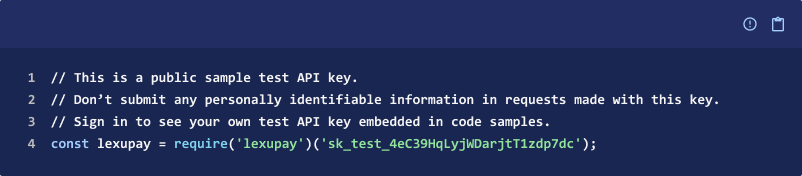
Create a New Endpoint
A webhook is an endpoint on our server that receives requests from Lexupay, informing us about events occurring in our account such as customer disputes over a bill or successful recurring payments. Add a new endpoint to our server and ensure that the endpoint is publicly accessible so that we can send unauthenticated POST requests to it.

Read the Event Data
Lexupay sends event data in the request body. Each event is structured as an event object with type, id, and nested Lexupay-related resource under data.
Handle the Event
Once we have the event object, check its type to determine what type of event has occurred. We can use one webhook to handle multiple different types of events simultaneously, or set up individual endpoints for specific events.
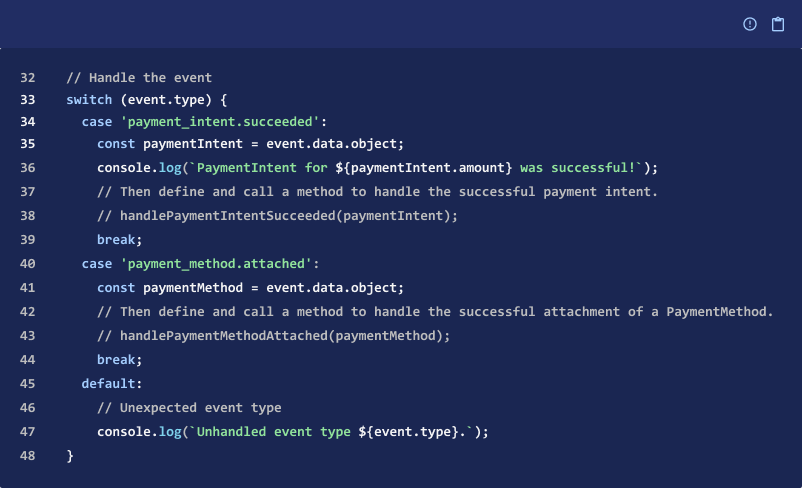
Return a 200 Response
Send a successful 200 response to Lexupay as soon as possible because Lexupay will attempt to resend the event if a response is not sent within a reasonable time. Write long-running processes as code that can run asynchronously outside the webhook endpoint.

Run the Server
Build and run your server to test the endpoint at
http://localhost:4242/webhook

Download the CLI
Use the Lexupay CLI to test our webhook locally. Download the CLI and log in with your Lexupay account. Alternatively, use services like ngrok to make our local endpoint publicly accessible.
Forward Events to Your Webhook
Set up event forwarding with the CLI to send all Lexupay events in test mode to your local webhook endpoint.
lexupay listen --forward-to localhost:4242/webhook
Simulate Events
Use the CLI to simulate specific events testing our webhook application logic by sending POST requests to our webhook endpoint with forged Lexupay event objects.
lexupay trigger payment_intent.succeeded
Congratulations!
We now have a basic webhook endpoint ready to receive events from Lexupay. Next, add the application logic needed for our business to handle the events we care about most. We can also enhance our endpoint with the following steps to verify the authenticity of the requests.
Secure Your Webhook
Verify the source of the webhook request to prevent malicious actors from sending fake payloads or injecting SQL that alters our backend system. Secure our webhook with client signatures to validate that Lexupay has generated the webhook request and that it didn't originate from a server impersonating Lexupay.
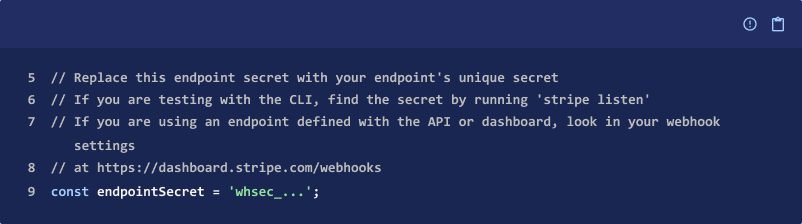
Add the Endpoint Secret
Each webhook endpoint has a unique signing secret. Find the secret in the Dashboard or, if we're testing locally with the Lexupay CLI, from the CLI Output with the command lexupay listen.
Verify the Event
We can use the Lexupay library to verify and construct events from Lexupay. We'll need the endpoint secret, request headers, and raw request body to properly verify the event. Alternatively, we can manually verify the signature without needing to use the Lexupay library.

Read the Request Signature
Every request from Lexupay contains the header Lexupay-Signature. Store a reference to the value of this header for later use.

Verify the Request
Use the Lexupay library to verify that the request originated from Lexupay. Pass the raw request body, Lexupay-Signature header, and endpoint secret to construct the event.
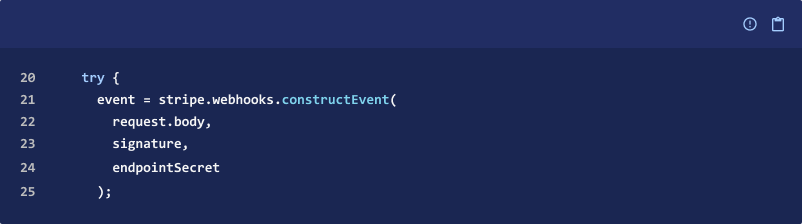
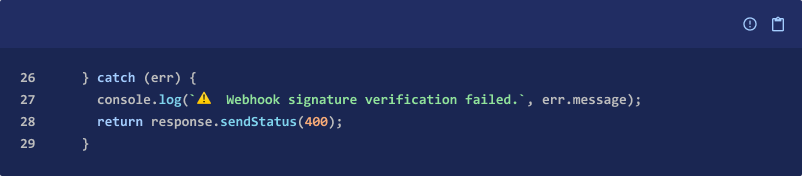
Handle errors
Error checking helps to detect improperly configured webhooks or faulty requests from non-Lexupay services. Common errors include using the wrong secret endpoint, passing a parsed representation (e.g., JSON) of the request body, or reading the wrong request headers.
Test the Endpoint
Test our secure endpoint with the Lexupay CLI, which sends the appropriate signature header in each test event. Alternatively, use the webhook viewer in the Dashboard to send a one-time event.
Updated 12 months ago