
Generate Access Key
An Access Key is used for API authentication within the Lexupay system. With an Access Key, third-party applications or services can interact securely with the Lexupay API. The Access Key ensures that only authorized applications can access and perform specific actions within the system, thus maintaining the integrity and security of user data. This key is required in various scenarios such as payment service integration, task automation, and transaction data retrieval.
Here are the instructions for generating an Access Key in LexuPay.
-
Open the LexuPay website
-
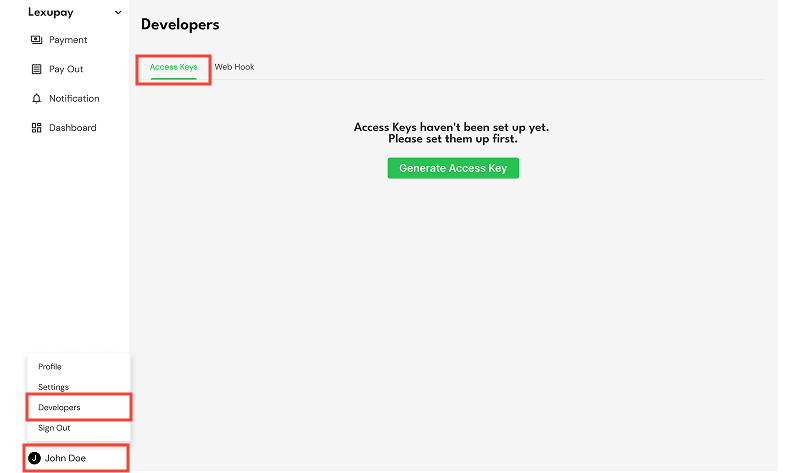
Open the Access Key page: User name -> Developers -> Tab Access Keys.
-
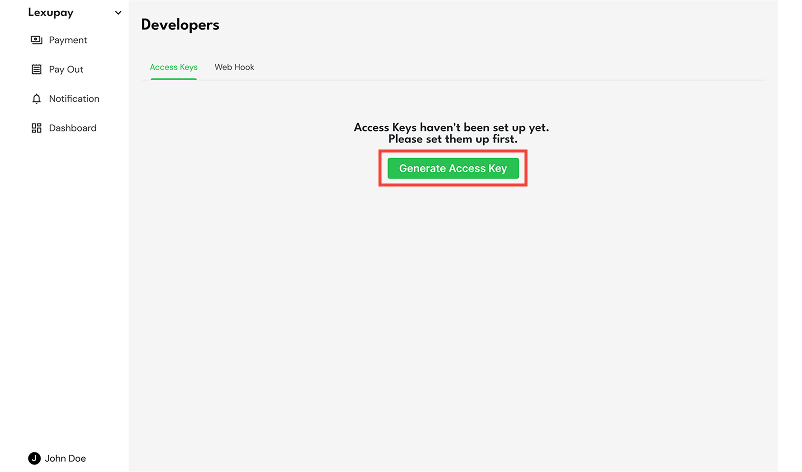
Select Generate Access Key
-
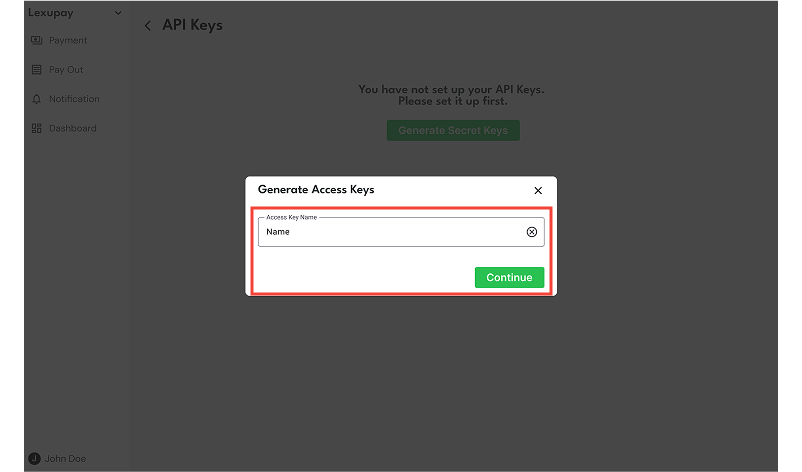
In the Create Access Key dialog, enter the access key name and select Continue.
-
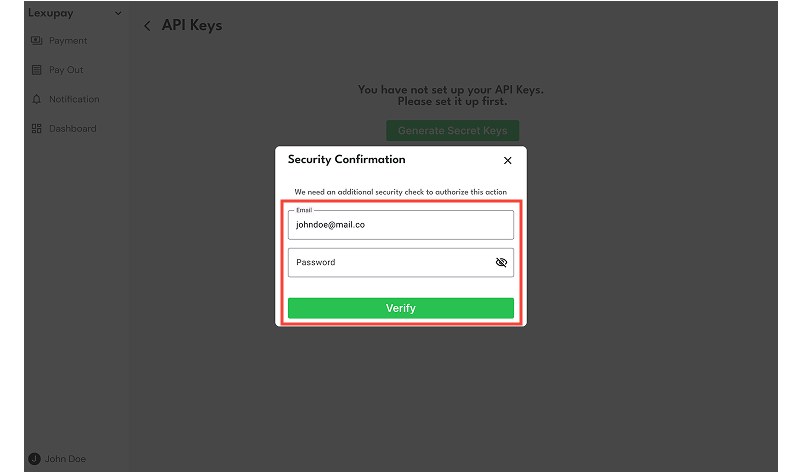
In the Security Confirmation dialog, enter your email and password, then select Verify.
-
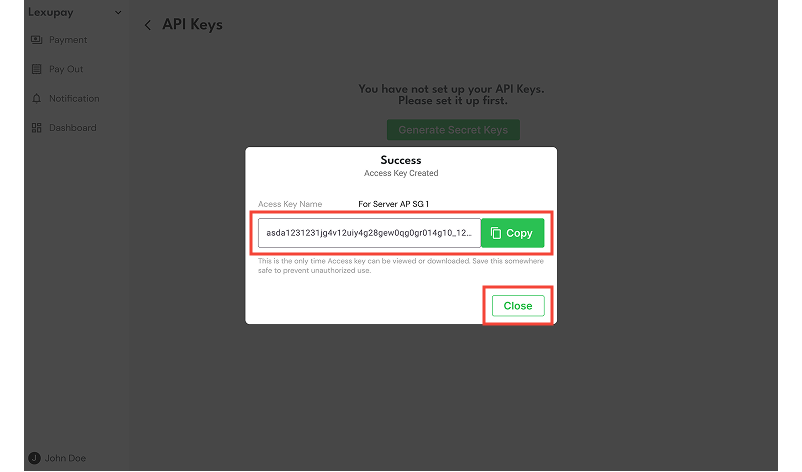
If successful, copy the access key name by selecting Copy and then choose Close when finished.
Updated about 1 year ago