
Payment Cancellation API
-
Payments can be cancelled as long as their status is ‘requires_payment_method’ or ‘requires_action’.
-
If the payment status is ‘processing’ or ‘succeeded’, contact the admin to request a refund.
-
Payments will automatically be cancelled after 24 hours if not completed.
Note: The payment timeout can be configured based on the respective bank account settings.
Payment Cancellation Flow Diagram
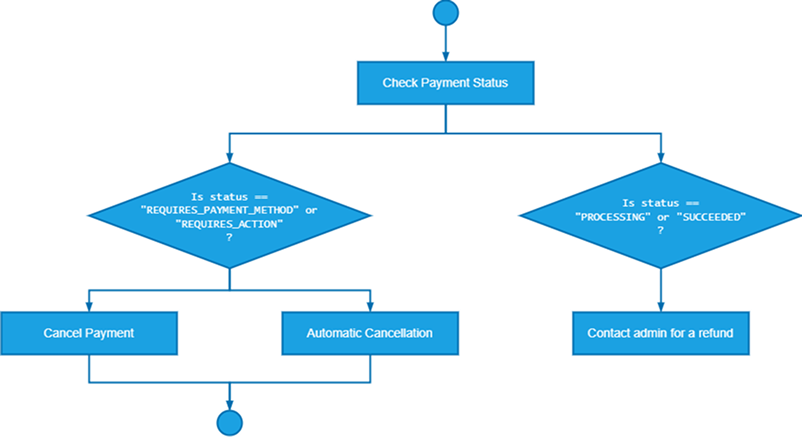
Step-by-Step Explanation:
- Start: The beginning of the payment cancellation process.
- Check Payment Status: The system checks the payment status.
- If Status is 'requires_payment_method' or 'requires_action': Proceed to cancel the payment.
- If Status is 'processing' or 'succeeded': Contact the admin to request a refund.
- Cancel Payment: The payment is cancelled via API.
- Automatic Cancellation: The payment will be automatically cancelled after 24 hours if not completed.
- End: The payment cancellation process is finished.
Updated about 1 year ago