
How to Export Payments
Lexupay provides an export feature that allows us to manage and analyze payment data easily. The following instructions will guide us through downloading a list of payments in CSV format.
-
Open the LexuPay website
-
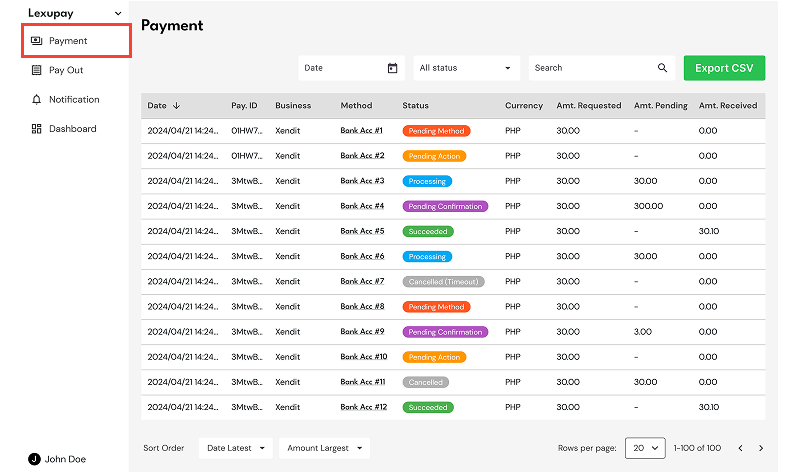
Open the Payment page
-
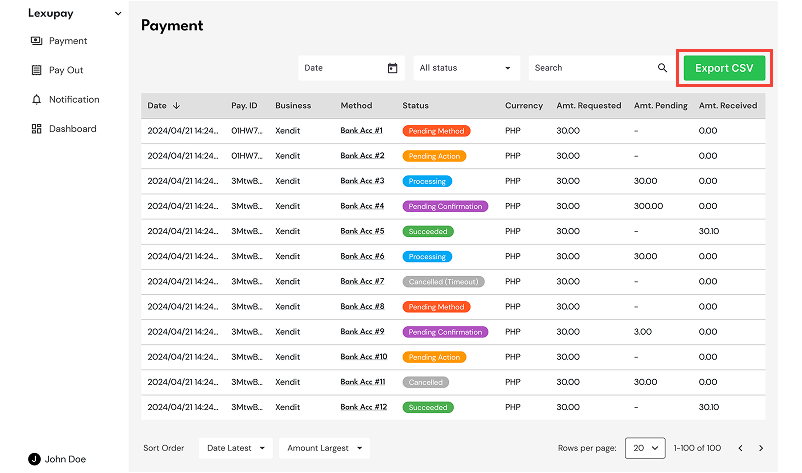
Select Export CSV
-
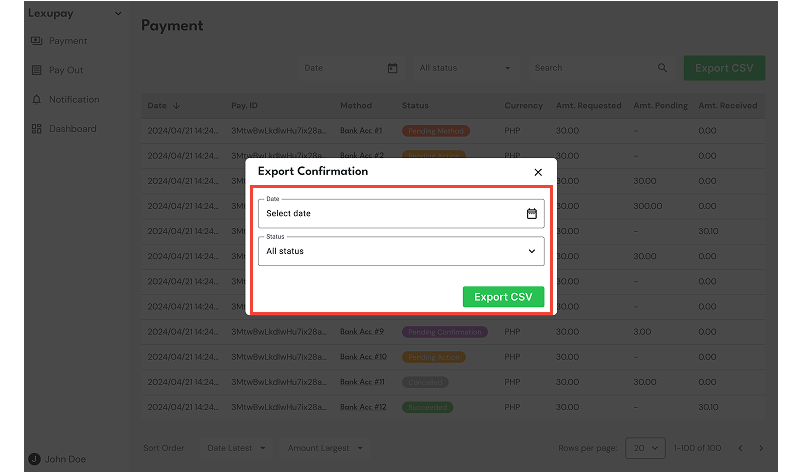
In the Export Confirmation dialog, select the date and status, then choose Export CSV.
-
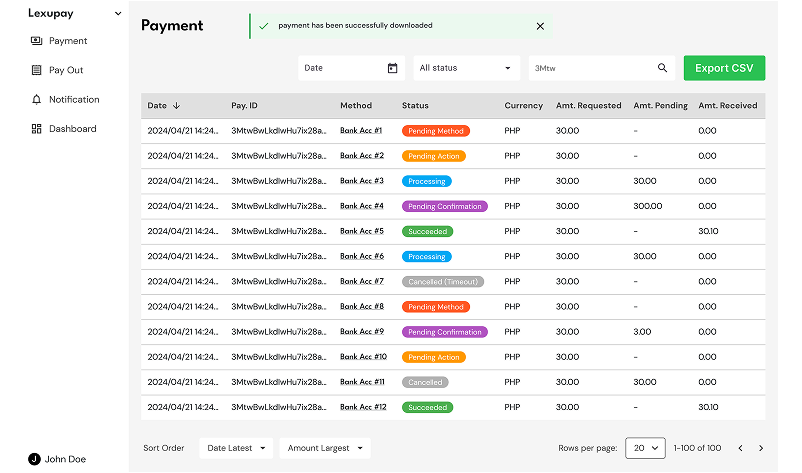
The payment has been successfully downloaded, and the file payment_2024/04/21.csv can be opened on our computer.
Updated about 1 year ago