
Create Webhooks
A Webhook is used to receive real-time notifications from the Lexupay system when specific events occur, such as successful or failed payments, or changes in transaction status. By using Webhooks, applications can automatically respond to events in Lexupay without the need for continuous polling to the server. This allows for more efficient and responsive integrations, such as updating order statuses in e-commerce applications, sending confirmation emails to users, or triggering other business processes based on events received from Lexupay.
Here are the instructions for creating a Webhook in Lexupay.
-
Open the Lexupay website
-
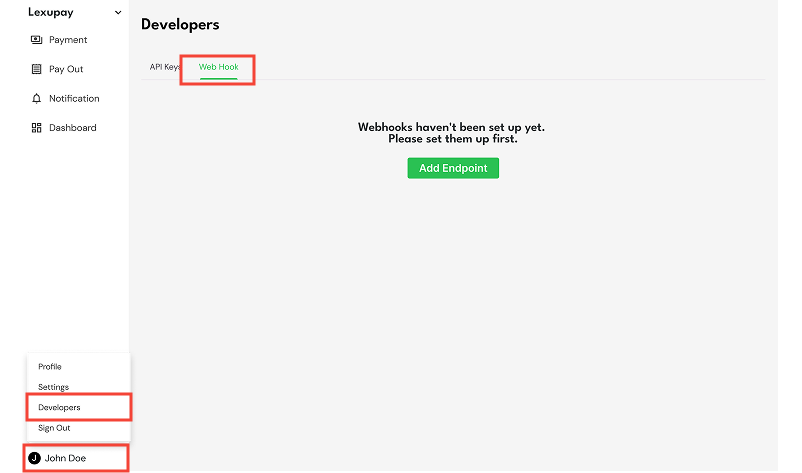
Open the Webhook page: User name -> Developers -> Web Hook Tab.
-
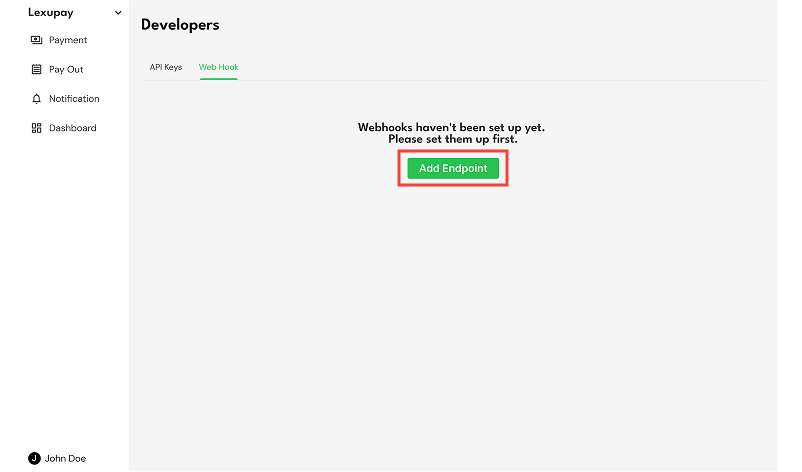
Then select Add Endpoint.
-
In the Add Endpoint dialog, fill out the endpoint data (Endpoint URL, Description, Payload Format Version, and Select Event).
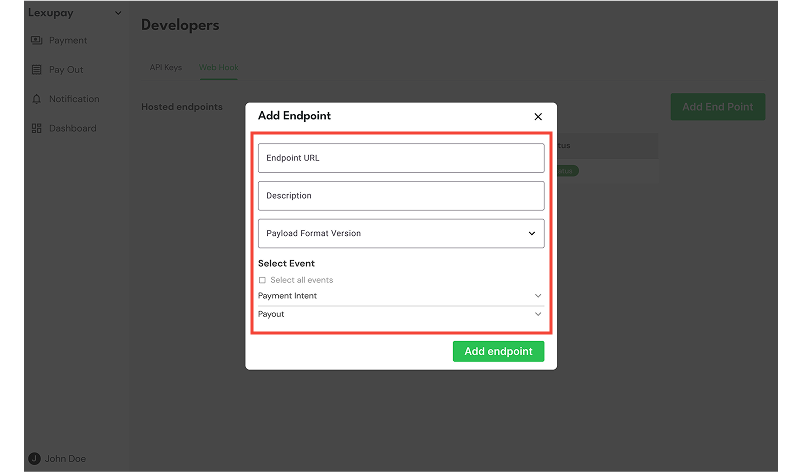
Ensure the endpoint information is correct, including the endpoint URL, description, payload format version, and selected events for payment intents and payouts.
-
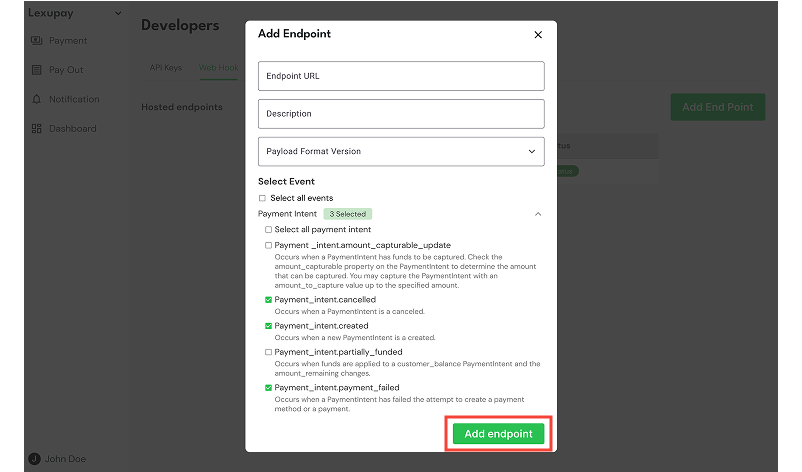
Select Add Endpoint and the endpoint has been successfully added.
Changing Webhook
-
Open the Lexupay website
-
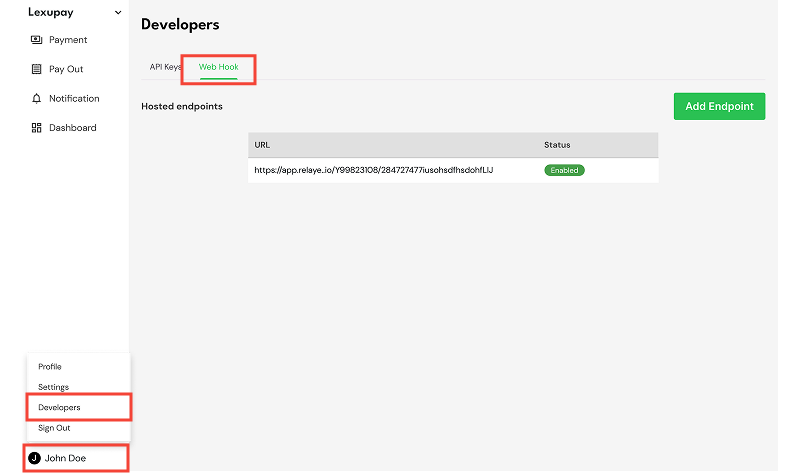
Open the Webhook page: User name -> Developers -> Web Hook Tab.
-
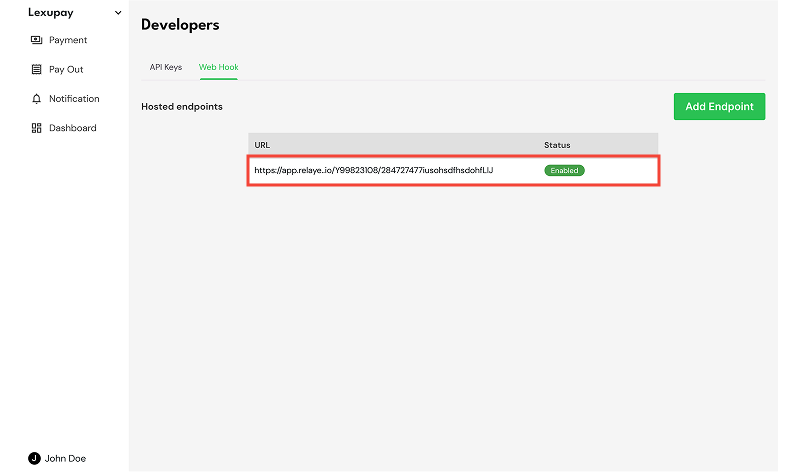
Select one of the webhooks.
-
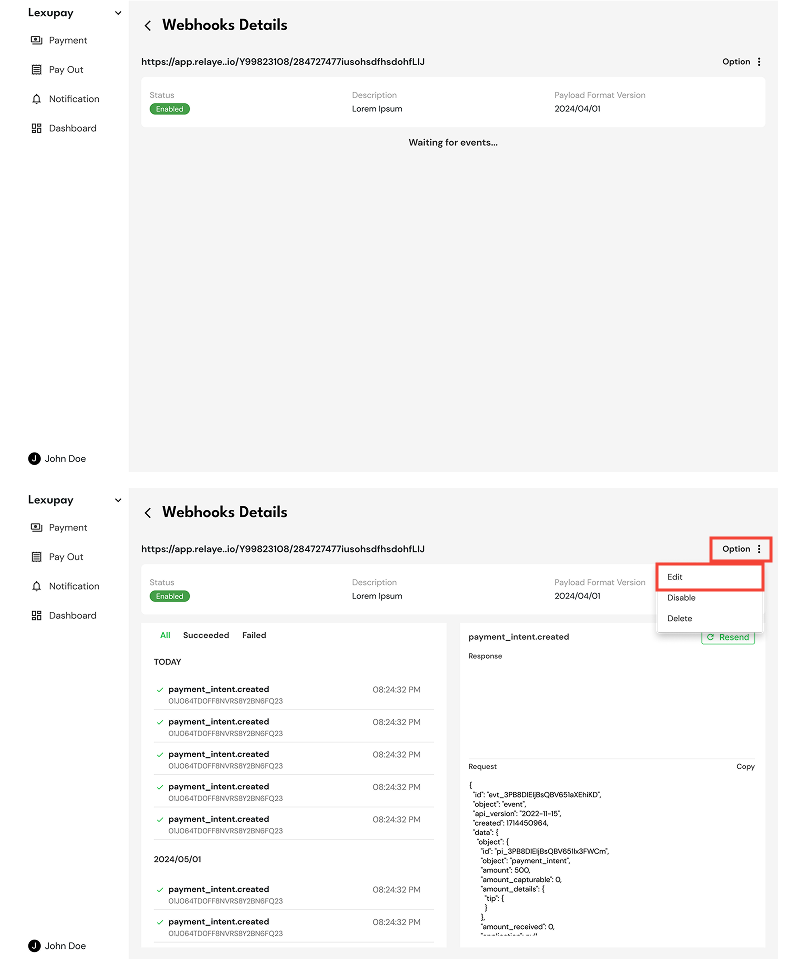
On the Webhooks Details page, select Option -> Edit.
-
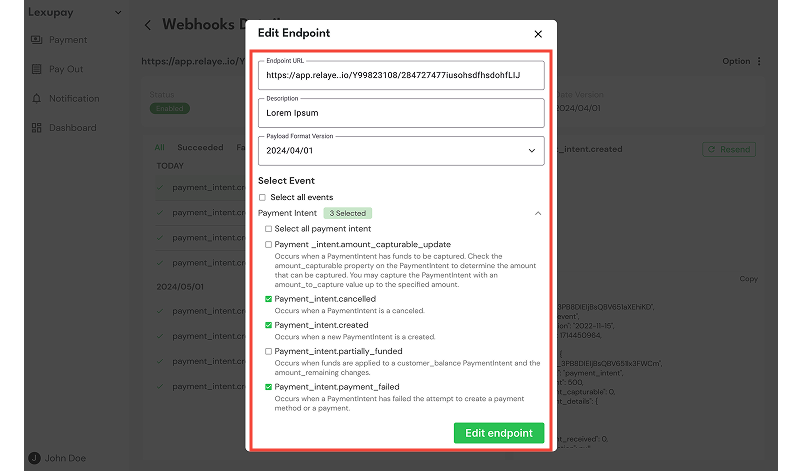
In the Edit Endpoint dialog, update the endpoint data (Endpoint URL, Description, Payload Format Version, and Select Event).
-
Then select Edit Endpoint and the endpoint has been successfully updated.
Updated about 1 year ago