
Payment Search Feature
Lexupay provides a search feature that allows us to monitor payment flows effectively and efficiently. The following instructions will help us use the search feature easily.
Searching for Payment Listings Based on Date
-
Open the LexuPay website
-
Open the Payment page.
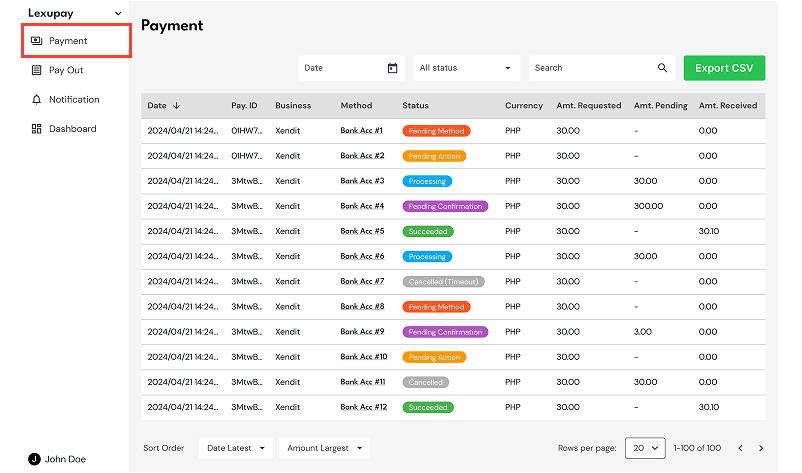
-
Select Date.
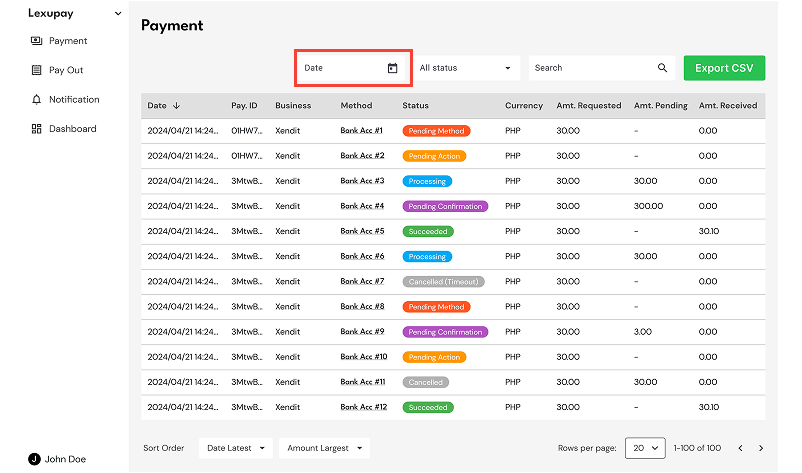
-
Select the desired date.
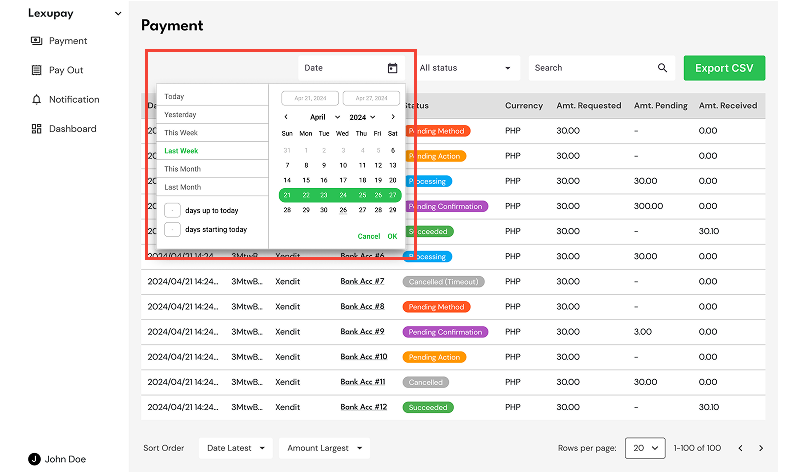
-
The list of payments will be displayed based on the selected date.
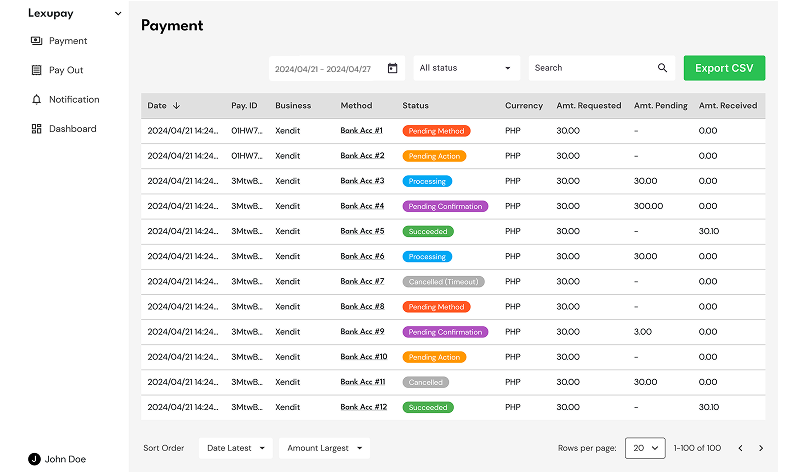
Searching for Payment Listings Based on Status
-
Open the LexuPay website
-
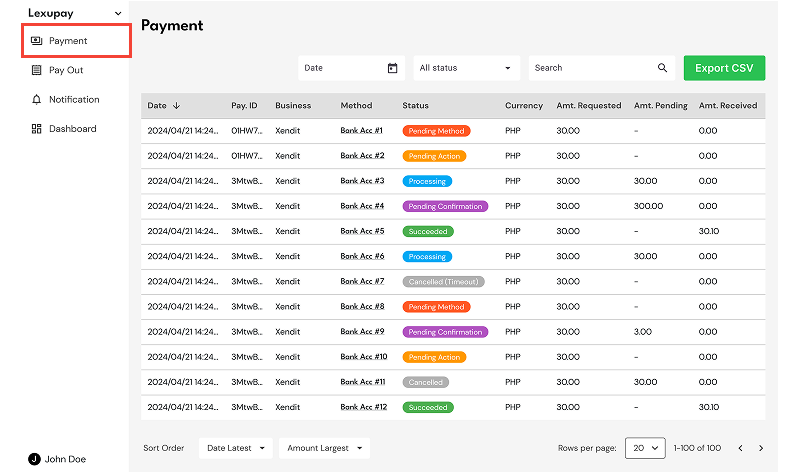
Open the Payment page.
-
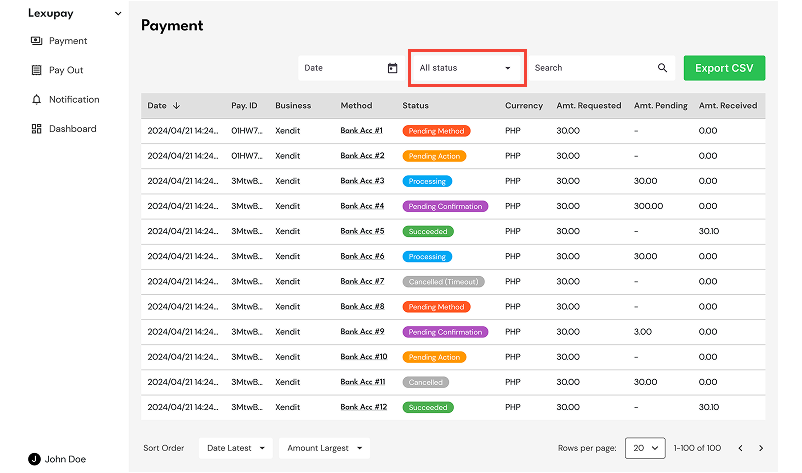
Select Status.
-
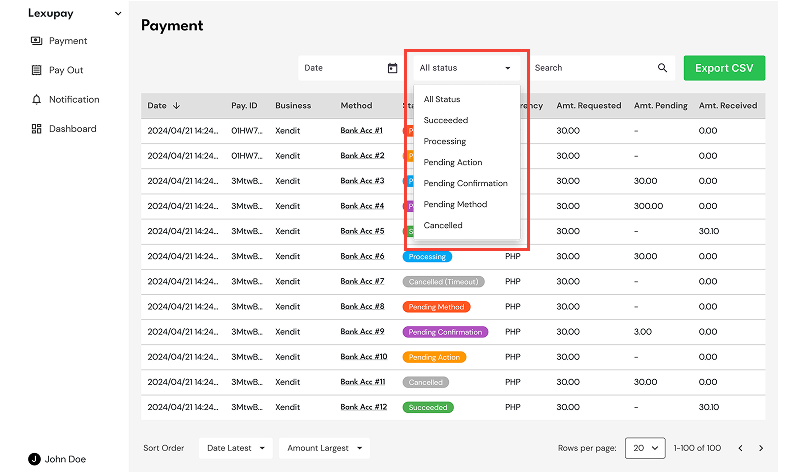
Select the desired payment status.
-
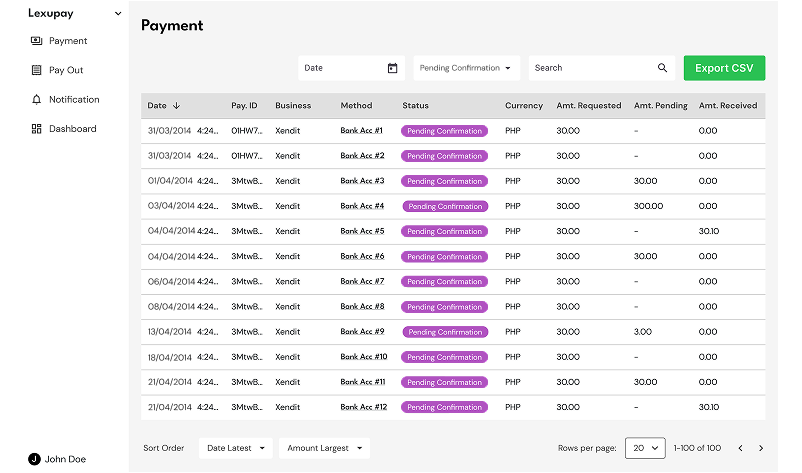
The list of payments will be displayed based on the selected status.
Searching for Payment Listings by Payment ID
-
Open the LexuPay website
-
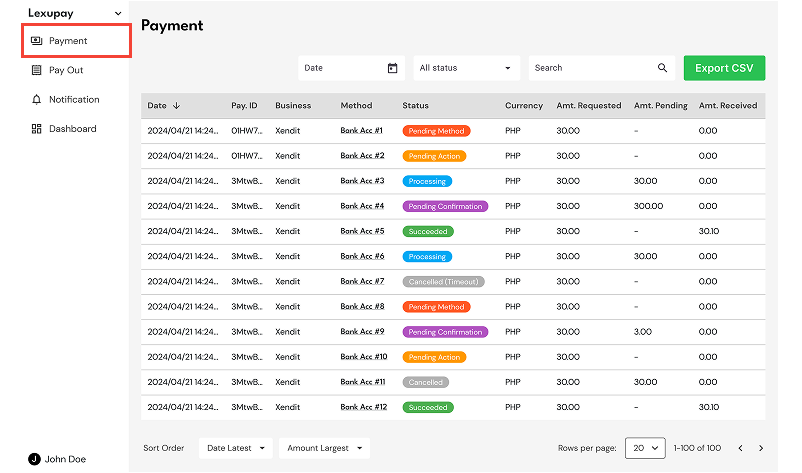
Open the Payment page.
-
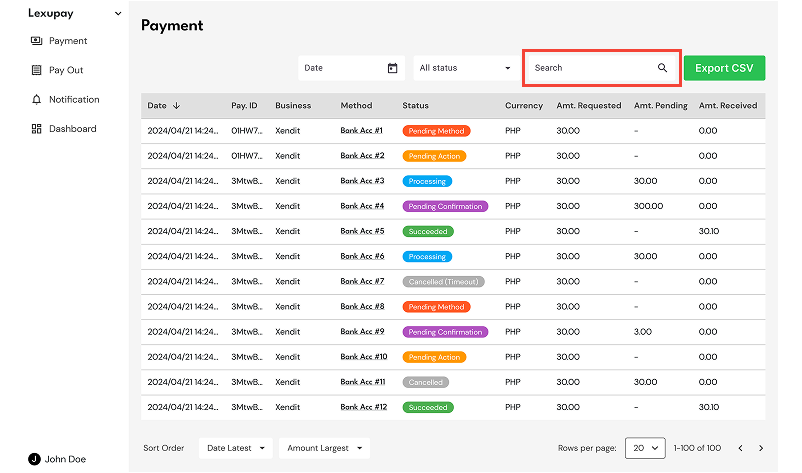
Select Search.
-
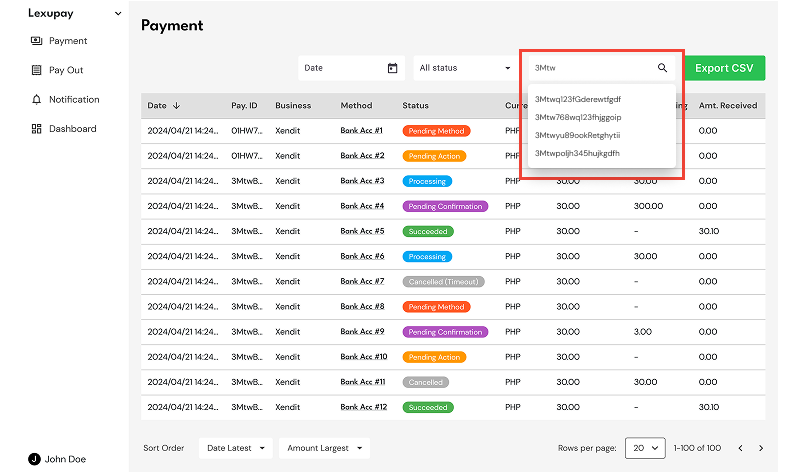
Enter the desired Payment ID.
-
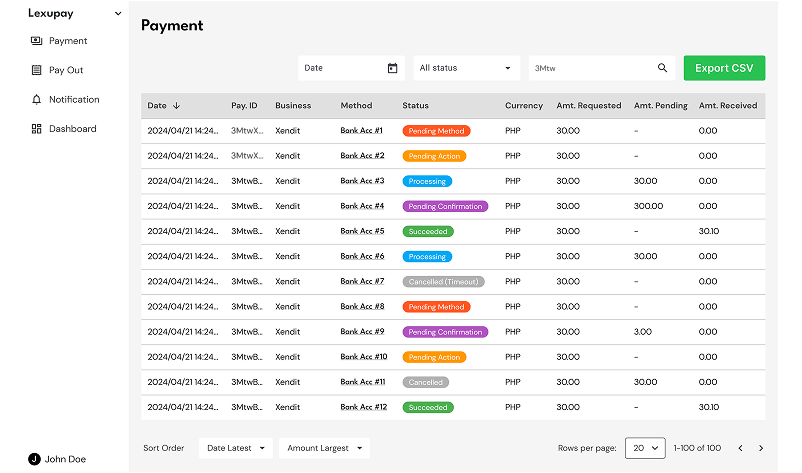
The list of payments will be displayed based on the entered ID.
Updated about 1 year ago