
Settings
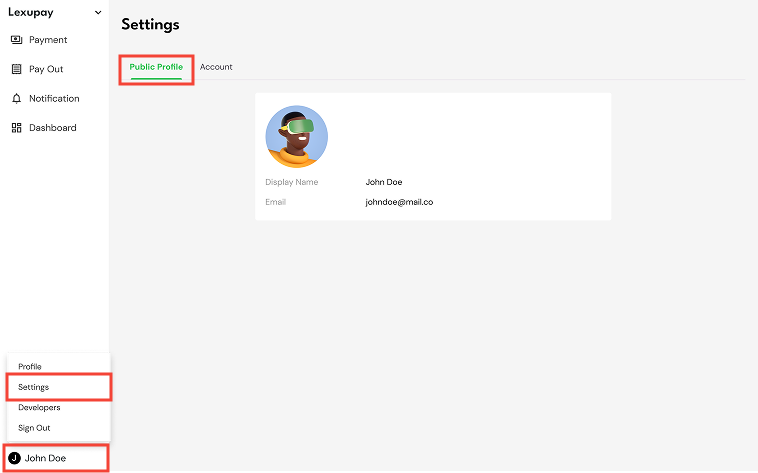
The settings page on LexuPay allows users to customize various aspects of their accounts. Here, users can manage their public profile, including displayed account name and email information. Additionally, users can view business details such as business name, account number, and account creation date. Users also have the option to update their business name, ensuring that all information remains accurate and meets business needs.
-
Public Profile
How to access the public profile settings page: User name -> Settings -> Tab Public Profile
-
Account
How to access the account settings page: User name -> Settings -> Tab Account
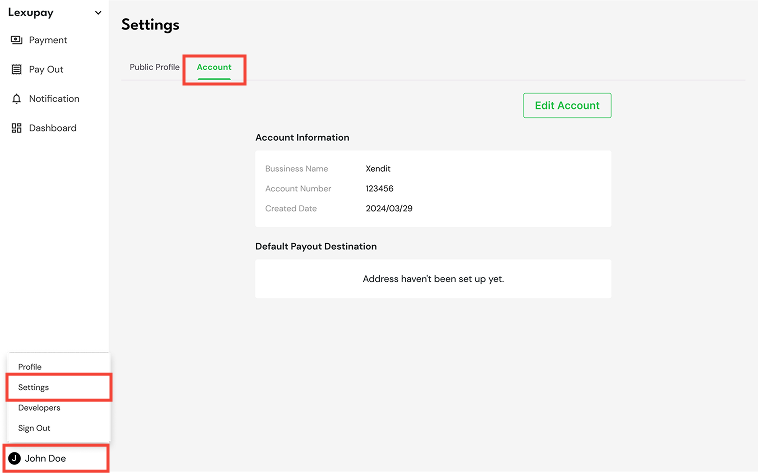
To update account information, select Edit Account

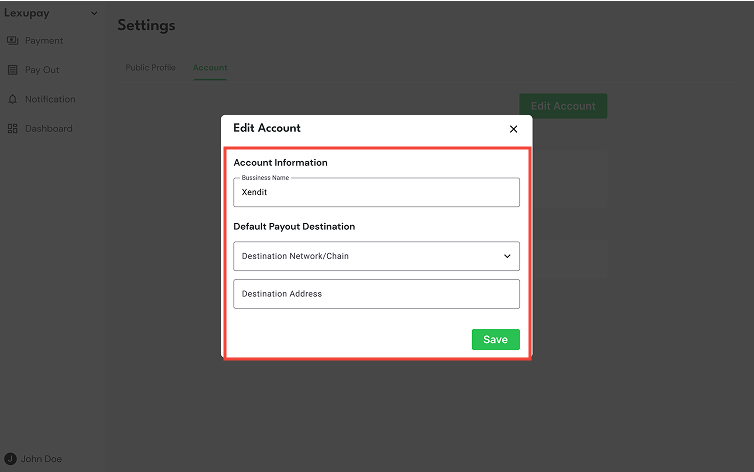
In the Edit Account dialog, update the following information:
-
**Business Name (Required): **The official name or identity of your business or company. Ensure this information is accurate for identification and business communication purposes.
-
Destination Network/Chain (Required): Select the network or blockchain for the transaction. Available options include:

Choosing the correct network is crucial to ensure that the transaction reaches the intended destination.
-
Destination Address (Required): Enter the specific address within the destination network where the asset or transaction will be sent. This address is typically a long alphanumeric string unique to each user or account within the network. Ensuring the correct destination address is essential to prevent asset loss or misdelivery.
Then select Save and the account information will be successfully updated.
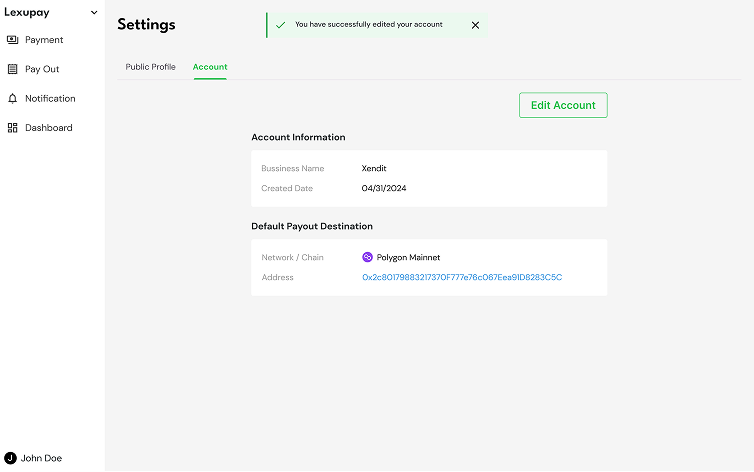
With these easily accessible settings, users can efficiently manage their personal and business information, ensure account security, and keep all information accurate and relevant.
Updated about 1 year ago